

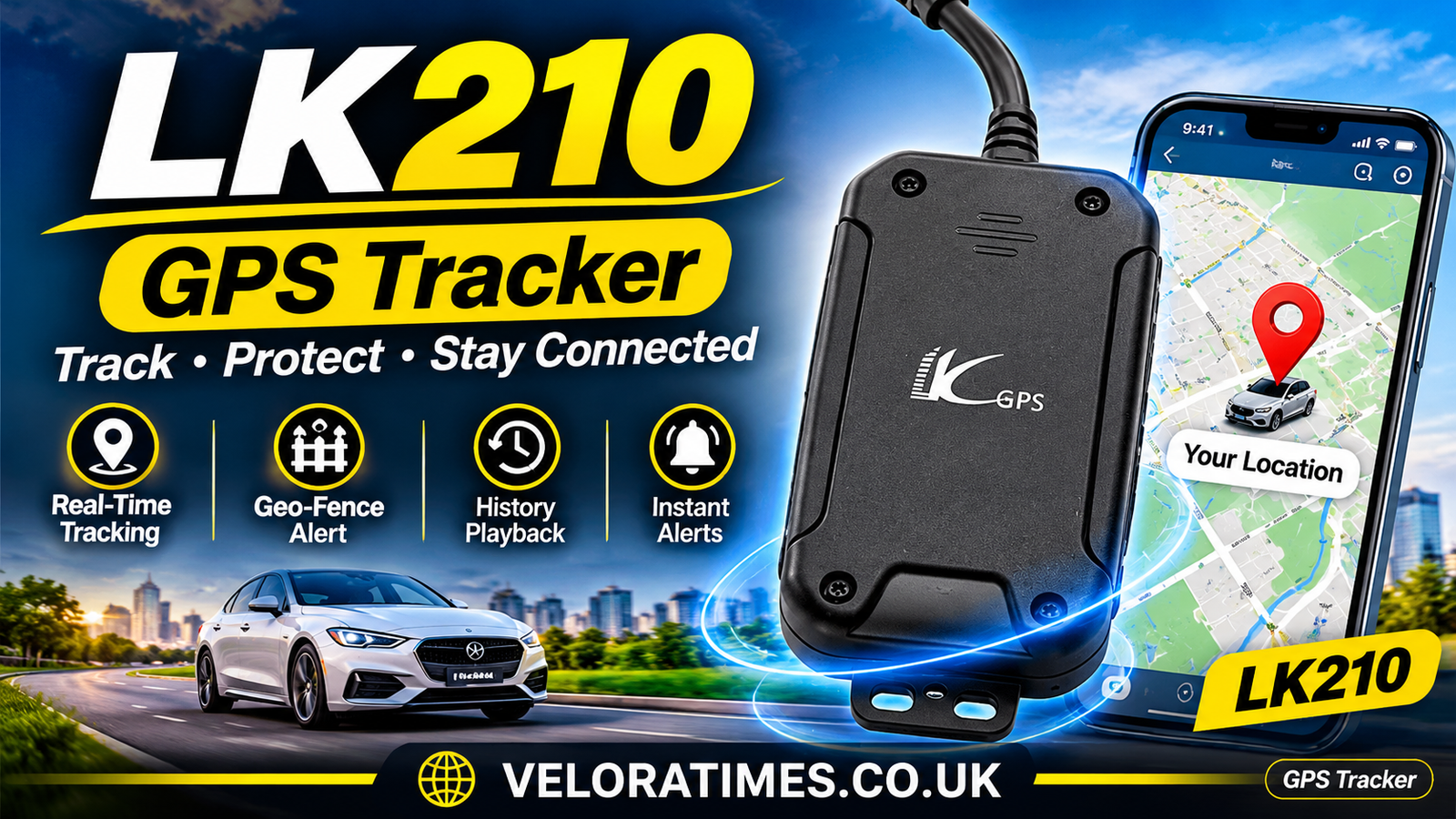
If you searched for LK210, you most likely want to know about the LKGPS LK210, a compact vehicle GPS tracker that appears in many tracking platform device lists. It is also sold under other names, such as Xeelectech LK210. People usually search for it to learn what it does, how to connect it to a tracking server, and whether it suits their car or motorbike.
This article explains the LK210 in plain language, based on information from tracking platforms, device databases, and user forums. Specifications can differ between sellers and hardware revisions, so check the details with your supplier before you buy. We also cover other products that share the LK210 name, so you can tell whether you are in the right place.
Table of Contents
- What LK210 Means for Readers
- Why People Search for LK210
- Main Features of the LK210 GPS Tracker
- How the LK210 Connects to Tracking Platforms
- Benefits and Limitations to Know
- Is the LK210 Reliable?
- Practical Tips for Using the LK210
- Frequently Asked Questions
- Conclusion
What LK210 Means for Readers
In the GPS world, LK210 refers to a small tracking unit from the LKGPS brand. The Navixy device database describes it as a GPS tracker with built-in GSM and GPS antennas, designed to be simple, compact, and cost-effective for vehicle tracking. That makes it a basic, budget-friendly option for people who want to follow a vehicle’s location without a complicated setup.
The tracker works with a SIM card. It receives satellite signals to work out its position and uses mobile networks to send that position to a server or to your phone. You then see the vehicle’s movement on a map through a tracking app or web platform.
The same model name shows up under different brands. The Wialon platform, for example, lists a device called Xeelectech LK210. Sellers often rebrand or resell similar hardware, so the label on the box may not match the name in the software. When you set it up, pick the device profile your platform recommends for your exact unit.
Why People Search for LK210
Most searches come from people in one of three situations. Some have just bought the device and need setup instructions. Others are comparing cheap trackers before buying. A third group is trying to fix a connection problem, such as a tracker that shows as offline or never appears on the map.
Forum threads show this pattern clearly. One Traccar forum user reported that the device replied “adminip ok” to a configuration message, yet nothing appeared on the server. Problems like this are common with budget trackers because the settings must match the server exactly, down to the port number and protocol.
Security is another reason. Vehicle theft is a real worry in many countries, and a tracker with remote engine cutoff is an affordable layer of protection. Readers also want to know whether the device is trustworthy and whether it works with the tracking service they already use.
Main Features of the LK210 GPS Tracker
Details vary by seller and revision, so treat the following as a general overview based on published device listings rather than a guarantee for every unit.
Location and Network Support
Other listings describe it differently. RedGPS names several positioning sources, including GPS, AGPS, LBS, WiFi, BeiDou, and GLONASS. The difference suggests that specifications may vary between versions, so confirm which one you are getting.
Navixy lists GPS and LBS (cell-tower-based location) support, along with 850, 900, 1800, and 1900 MHz mobile bands. LBS helps when the GPS signal is weak, for example in a parking garage, although it is usually less precise than satellite positioning. Navixy classifies the device as a 2G network tracker. This matters because some regions are shutting down 2G service, which could limit where the device works.
Anti-Theft and Engine Cutoff
A feature many buyers care about is remote cutoff. Flespi describes the LK210 as an anti-theft tracker with remote oil and electricity cutoff, controlled by radio frequency or SMS. In practice, this lets the owner cut fuel or power to the engine from a distance if the vehicle is stolen.
Use this feature carefully. Cutting an engine while a vehicle is moving can be dangerous. It is generally safer to use it when the vehicle is parked or moving slowly, and professional installation is recommended so the cutoff wiring is done correctly.
Alerts and Tracking Tools
RedGPS lists geo-fence, vibration alert, move alert, speed alert, cut alarm, and historical route playback among the device’s features. Geo-fencing lets you draw a virtual boundary and get a notification when the vehicle enters or leaves it. Speed alerts are useful for family cars or small fleets, and route history helps you review where the vehicle has been.
Flespi also mentions a 370 mAh lithium-polymer battery. A small backup battery like this typically lets the device keep reporting for a short time if the vehicle’s power is disconnected, but it should not be expected to last long.
How the LK210 Connects to Tracking Platforms
A tracker is only useful when it can talk to software. The LK210 is supported by several well-known platforms, though each needs its own server details.
Platforms and Server Settings
Navixy shows auto registration as supported, with a server port of 47735. Wialon lists remote management through GPRS and SMS, LBS, and communication over TCP, with port 21368 for the Xeelectech LK210 profile. These port numbers belong to each platform’s own setup, so always use the values shown in the platform you are connecting to.
Open-source users face a different situation. A Traccar forum reply stated that the LK210 uses the H02 protocol on port 5013, and that port 5055 is reserved for Android and iOS devices. This comes from a user discussion rather than official documentation, so verify it against the current Traccar documentation before relying on it.
SMS Commands
Trackers like this are usually configured by sending text messages from your phone to the SIM inside the device. GPS-Trace documents an IP settings command in the form adminip, followed by the password, a blank, the IP address, and the port, with a default password of 123456. Command formats differ between firmware versions, so check the manual that came with your device.
Change the default password as soon as you can. Anyone who knows it could change your server settings or reach the cutoff controls. After sending a command, wait for the confirmation reply before sending the next one.
If the tracker stays offline after configuration, check the SIM card first. It needs active data, the correct APN settings for your mobile provider, and signal at the place where the device is installed. One forum user reported that the system worked for a few minutes and then went offline. A problem like that often comes from the SIM plan, the network, or the power connection.
Benefits and Limitations to Know
The main appeal of the LK210 is its price and simplicity. It covers the basics most people need: live location, movement alerts, route history, and in some versions remote cutoff. For a private car, a motorbike, or a small business with a few vehicles, that can be enough without paying for a premium device.
The compact size also helps. A small unit is easier to hide inside a vehicle, which makes it harder for a thief to find and remove. Support across several platforms means you are not locked into one service, which is a real advantage if you later change tracking providers.
There are limits. A 2G-only device may stop working where 2G networks are being retired. Budget trackers can also have slow support, patchy documentation, and inconsistent firmware. Positioning may be less accurate than on higher-end devices, particularly in dense cities or covered parking.
Is the LK210 Reliable?
Reliability depends heavily on the seller, the firmware version, the installation, and the network where you live. The device appears in the supported-device lists of several established platforms, which suggests it is widely used. Being listed, however, does not guarantee that a particular unit will perform well.
User reports show a mixed picture, as is typical with low-cost trackers. Many problems come from configuration rather than faulty hardware, such as the wrong port, an unsuitable protocol, or a SIM without data. Buying from a seller that offers a warranty and clear setup instructions lowers the risk.
For anything security-critical, treat the tracker as one layer of protection rather than the only one. Pair it with good locks and sensible parking habits. Test it for a few days before relying on it, and check that alerts arrive when you expect them.
Practical Tips for Using the LK210
Before buying, confirm that your mobile network still supports the bands the device uses, especially if you live in a region phasing out 2G. Ask the seller for the manual and the exact protocol the unit uses. Then check that your chosen tracking platform lists a matching profile.
During installation, place the tracker where it has a clear view of the sky, away from thick metal shielding. Use a SIM card from a provider with good coverage where you drive, and confirm that it has a working data plan. If you plan to use the engine cutoff, have a professional wire it.
After setup, change the default password and test each feature: location updates, geo-fence alerts, and the SMS commands. Keep a note of your server settings so you can restore them if the device resets. Check the SIM balance regularly, since an expired plan is a common reason trackers go silent.
Other Products Called LK210
The name is not unique to GPS trackers. Nissan Diesel’s Condor LK210BN is a 5-tonne-class truck model sold in Japan from mid-1993 to mid-1996. The Port Authority LK210 is a women’s quarter-zip double piqué pullover. The LK210 is also a communication module for Omron Sysmac C200H programmable logic controllers. If you came here for one of these, make sure to include the brand or product type in your search.
Frequently Asked Questions
What is the LK210?
In most online searches, it is the LKGPS LK210, a compact GPS tracker for vehicles. The name can also refer to a truck model, a clothing item, and an industrial module.
Does the LK210 need a SIM card?
Yes. GPS trackers of this type send their location over the mobile network, so you need a SIM with active data and, for some functions, SMS capability.
Can the LK210 cut off a vehicle’s engine remotely?
Some listings say it supports remote oil and electricity cutoff by SMS or radio frequency. Confirm this with your seller, and have the wiring installed professionally.
Which platforms support the LK210?
It appears in the device lists of platforms such as Navixy, Wialon, Flespi, and GPS-Trace, and in community discussions for Traccar. Always use the profile recommended for your exact unit.
Why does my LK210 show as offline?
Common causes are an inactive SIM, wrong APN settings, an incorrect server IP or port, a protocol mismatch, or weak signal. Check these first before assuming the device is faulty.
Conclusion
The LK210 is a budget-friendly vehicle tracker that covers the essentials, including location tracking, movement alerts, and, on some versions, remote engine cutoff. Its wide platform support is a plus, while its 2G connectivity and variable quality are things to weigh carefully. If you are considering the LK210, check network compatibility, confirm the protocol, and buy from a seller who provides clear documentation. With a careful setup and realistic expectations, it can be a useful tool for keeping an eye on your vehicle.
READ MORE: https://veloratimes.co.uk/
